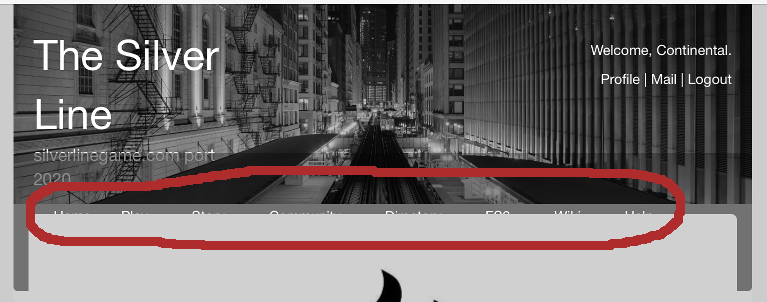
I’m having a couple of issues with images and the web portal. The first one is that the styling on the front page of the portal covers the menu in portrait mode of mobile devices.
I’ve tested this with a full-sized iPad (using Safari), an 8" Samsung tablet (using both Firefox and Chrome) and both an iPhone (Safari) and 5" Moto G5 (using both Firefox and Chrome).
I switched out the default ‘jumbotron’ image with a much smaller one, suspecting that was the issue, but it doesn’t seem to help. Attached is a screen shot showing what I mean.
Another problem I’m having is that images appear to be broken, not appearing using either option presented, either ‘basic’ or ‘pretty’. One thing I noticed is that the formatting seems to expect a path containing ‘/files’ but the actual path to images contains /file. (EX: /file/misc/chicago_neighborhoods_map.png)